


Benzer etkinlikler
Tüm etkinlikler →



Benzer yazılar
 Studio · 20 Nov 2026Drums not flowing? The six layers of a techno drum pattern
 Studio · 19 Nov 2026Record in a cathedral without leaving the studio: how convolution reverb works
 Studio · 13 Nov 2026Roman havası in 9/8: why do Turkish folk edits play in 4/4 in the club?
 Studio · 25 Oct 2026Remix Dua Lipa, get heard by Warner: the Training Season remix contest
 Studio · 2 Oct 2026Production training: Produce. Release. Get heard.
All posts →
Why does the drop sound muddy? A guide to sidechain compression
When the kick and the bass fight for the same low-end space, the drop gets blurry. We explain sidechain compression, the compressor settings, short versus long release and a step-by-step setup.

The kick is powerful, the bass is full, and each sounds great on its own. But when the drop lands, the low end suddenly turns blurry, the kick loses its punch and the dance floor looks around as if something is missing. Almost everyone who starts producing runs into this moment. The problem is rarely a bad choice of sounds; it is two strong sounds trying to fit into the same space. In this article we take the topic of the Kabin Notu video narrated by Execore, sidechain compression, and go through it step by step and in more depth.
Why does the drop sound muddy?
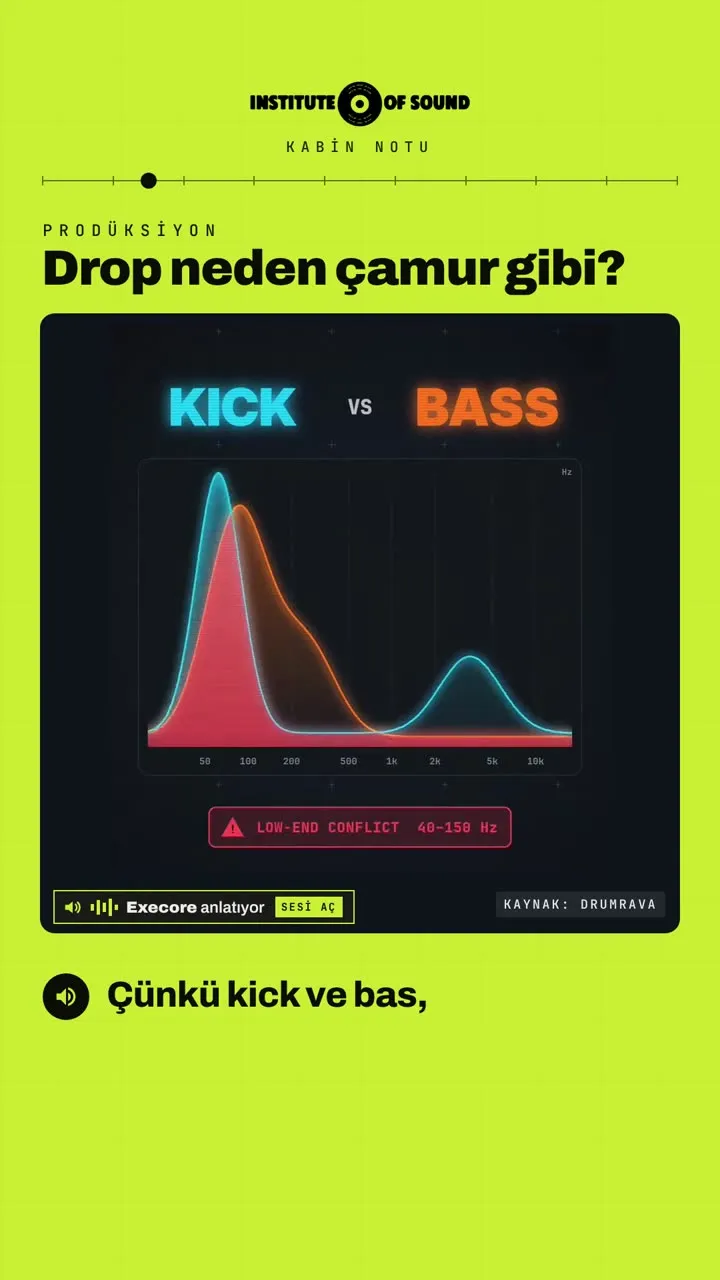
The kick and the bass share the low-frequency region of a track. The body of a kick lives roughly between 40 and 100 Hz, while a bass usually sits between 40 and 150 Hz. When both play at the same time, at the same frequencies, with high energy, they mask each other: the kick's punch disappears inside the bass, and the bass gets "dirty" for a moment on every kick. The result is a low end that is crowded rather than full, blurry rather than powerful. In mixing language we call this mud.
The bigger the sound system, the more obvious the problem becomes. A drop that seemed "not bad" on headphones or small monitors can turn into an indistinct rumble on a club system, where the low end fills the whole room. That is why keeping the low end organised is a core skill for anyone making music for clubs.
The solution: sidechain compression
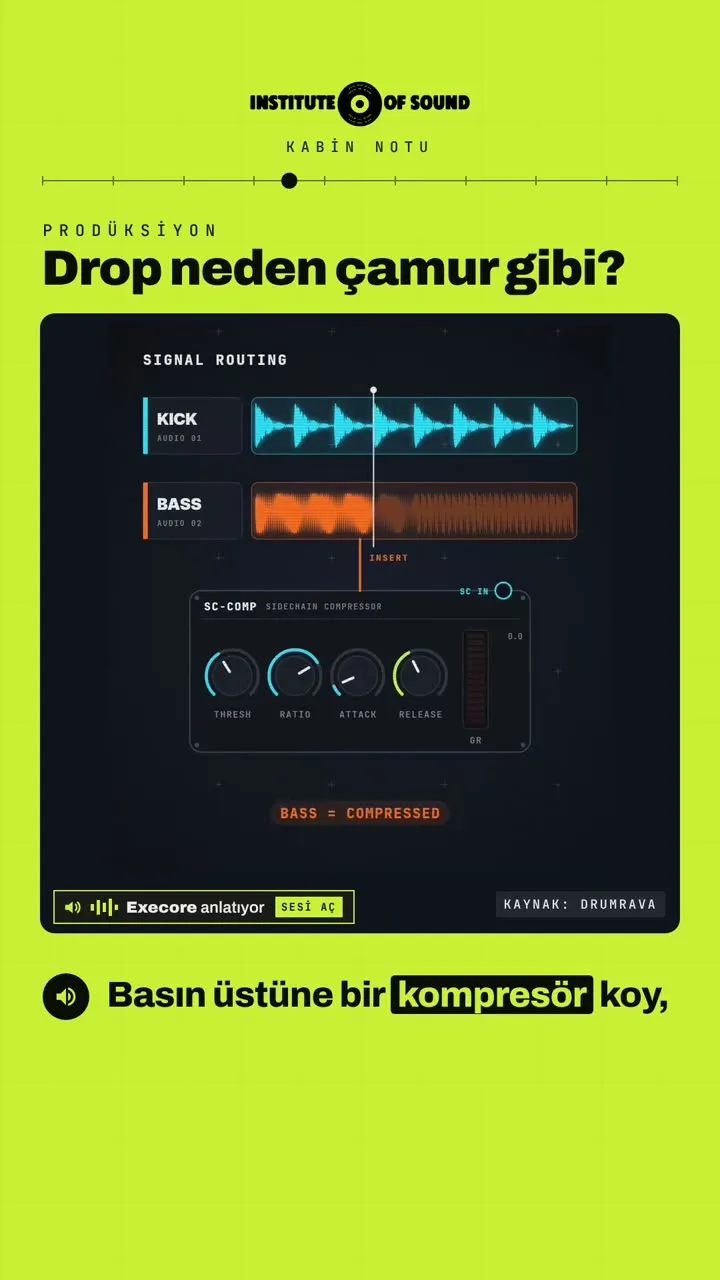
The idea behind sidechain compression is simple: when the kick plays, the bass briefly steps aside. To do this, you put a compressor on the bass, but this compressor does not listen to the bass itself; it listens to the kick. The kick becomes the compressor's trigger (the sidechain or "key" input).
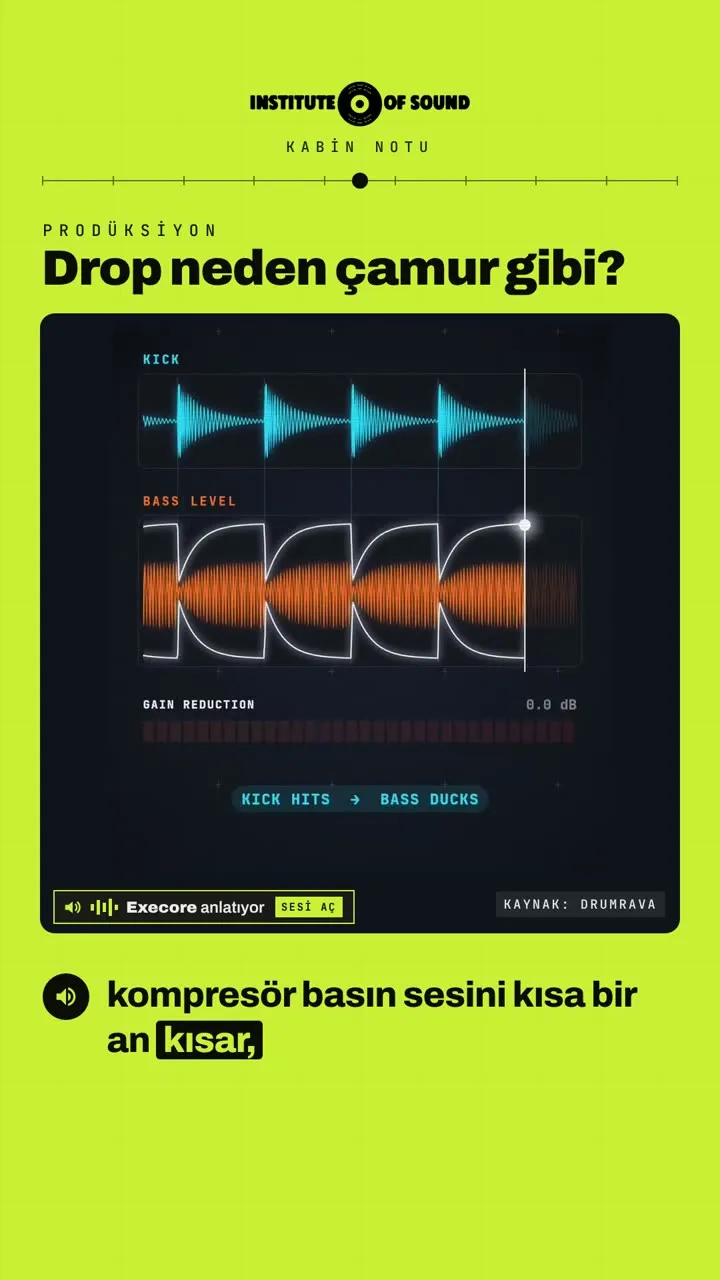
The flow works like this:
- The kick hits.
- The compressor detects the hit and lowers the bass level for a short moment.
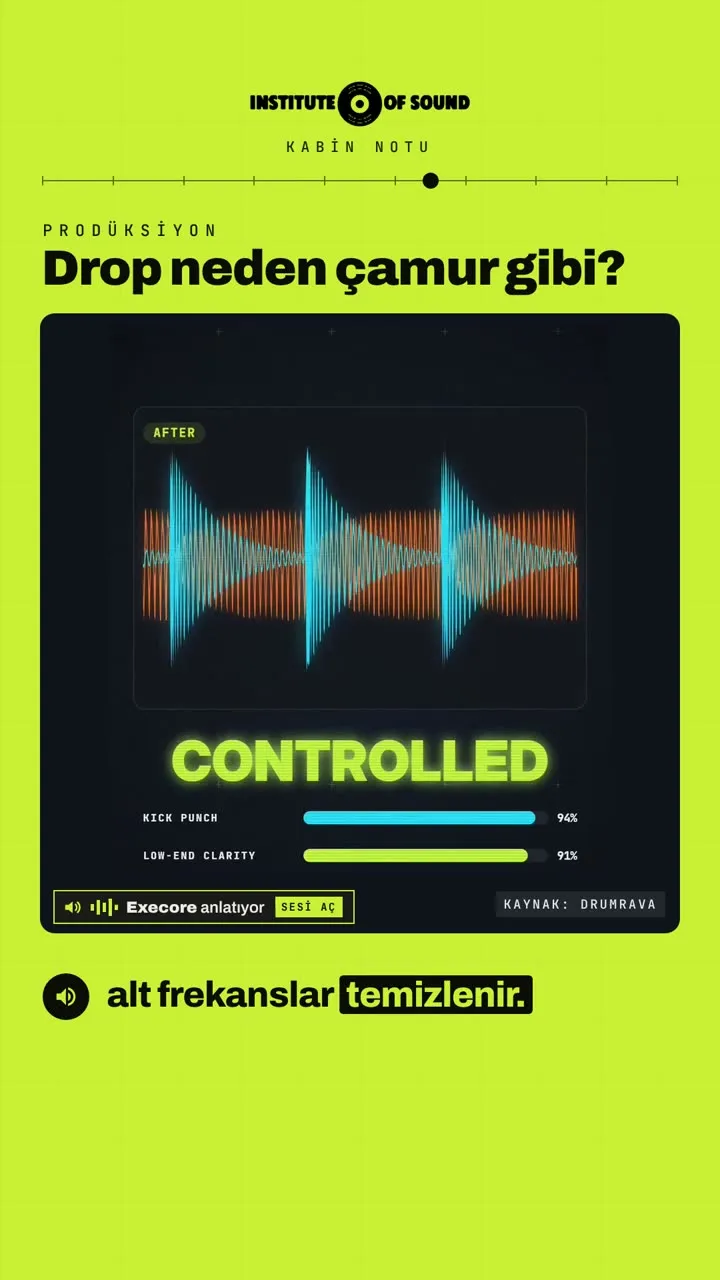
- The kick's punch passes cleanly through the low-frequency space that has been freed up.
- Over the release time you set, the compressor smoothly brings the bass back up.
- On the next kick, the cycle repeats.
This way the kick and the bass never play at full level at the same moment; they take turns sharing the space. The kick comes forward, the low end cleans up, and together they sound like one strong rhythm.
The four core compressor settings
To set up sidechain properly you need to know the compressor's basic controls:
- Threshold: sets the level at which the compressor starts working. In sidechain, it is set against the kick signal; the lower you set it, the more strongly the compressor reacts to the kick.
- Ratio: sets how much the signal above the threshold is reduced. Sidechain usually uses ratios of 4:1 and above; for an obvious pumping effect you go higher.
- Attack: sets how quickly the compressor kicks in. In sidechain the bass must step aside exactly when the kick hits, so the attack is usually kept very short (0–5 ms).
- Release: sets how long the compressor takes to bring the bass back to its original level. This is the control that really defines the character of the groove.
Also watch the gain reduction meter. For a light, natural sidechain, 3–6 dB of reduction is a good starting point; for an obvious, "breathing" pump, aim for 8–12 dB or more.
Release: tight groove or pumping?
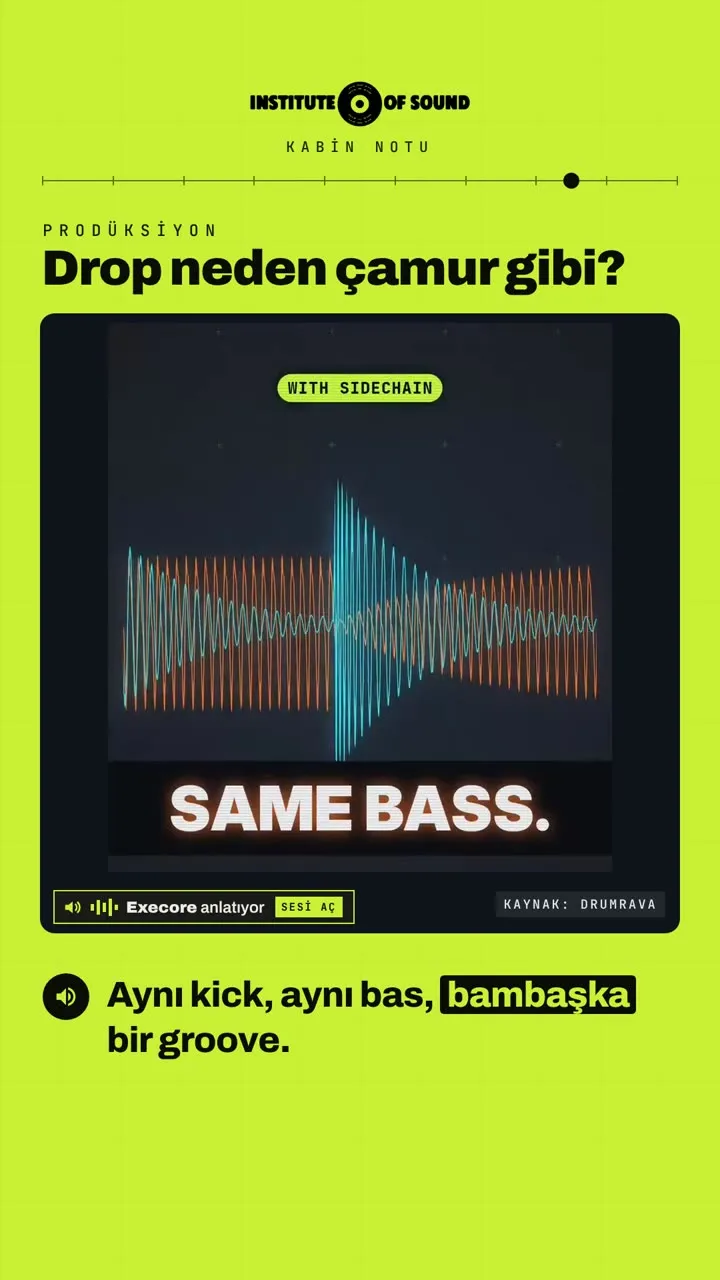
As the video shows, the same kick and the same bass become a completely different groove when only the release time changes.
- Short release (about 50–150 ms): the bass comes back right after the kick. What you hear is not obvious pumping but a tight, clean low end. It suits styles like tech house and minimal, where the bass needs to move inside the groove.
- Long release (about 300–450 ms): the bass slowly rises again over most of the gap between two kicks. This creates the familiar, breathing "pump" of house and techno. The effect is especially noticeable on wide sounds such as pads, synths and vocals.
A good habit is to set the release relative to the tempo. At 124 BPM, for example, one beat (a quarter note) lasts about 484 ms. If the release stays a little below that, the bass reaches full level just before the next kick, and the pumping breathes with the rhythm. If the release is longer than a beat, the bass never gets back to full level and the track stays choked.
Step-by-step setup
Whatever DAW you use, the logic is the same:
- Add a compressor to the bass channel. Most DAWs' stock compressors have a sidechain (key) input.
- Enable the sidechain input and choose the kick channel as the source. The compressor is now listening to the kick.
- Set the attack close to its shortest value. The bass should step aside the moment the kick hits.
- Lower the threshold so the compressor reacts to the kick. Watch the gain reduction meter move on every kick.
- Set the ratio. Start at 4:1 and raise it as needed.
- Set the release by ear. Start short and lengthen it while listening to how the groove changes.
- Listen with the whole track. Judge the sidechain inside the mix, not on its own; a setting that sounds exaggerated in solo can sit perfectly in the mix.
Common mistakes
- Too much depth: if the bass disappears completely on every kick, the track sounds empty and choppy. The goal is not for the bass to vanish but to make room for the kick.
- Slow attack: with a long attack the compressor misses the kick's hit, and the bass is still loud at exactly the most critical moment.
- Release that ignores the tempo: a release not matched to the groove creates an odd wobble that fights the rhythm.
- Sidechaining everything: applying the same depth of sidechain to every channel tires the mix. Fix the low end first, then apply a lighter amount to pads and synths if needed.
- Forgetting the ghost kick: in breakdowns with no kick, sidechain stops working. If you want the pumping to continue in the break, use a silent "ghost" kick channel as the trigger.
Alternative methods
There are other ways to get the same result besides sidechain compression:
- Volume-shaping plug-ins: instead of a compressor, they lower the bass on every beat using a pre-drawn volume curve. The result is more predictable and does not need a kick signal.
- Multiband sidechain: reduces only the low frequencies of the bass, not all of it. Because the upper harmonics stay in place, the bass makes room for the kick and remains audible.
- Making space with EQ: separating the frequencies where the kick and bass are densest (for example, placing the kick around 55 Hz and the body of the bass a little higher) also reduces mud. The best results usually come from using EQ and sidechain together.
The same logic in the DJ booth
Sidechain is a production technique, but the idea behind it applies to DJing too: two strong low ends should not play at full level at the same time. When you mix two tracks, if the basslines of the incoming and outgoing tracks both stay at full level, you hear the same mud on the dance floor. That is why we swap the bass with the mixer's LOW knob during transitions: one goes down while the other comes up. What you do with EQ in the booth is like a hand-played version of what sidechain does in the studio.
At Institute of Sound
In our production training you learn sidechain, the other compressor settings and how to build a clean low end one-to-one, on your own track. Not in theory but by ear: changing the settings on the same kick and the same bass and hearing the difference.
Get in touch for details.
Video source: Drumrava · Turkish voiceover: Execore
